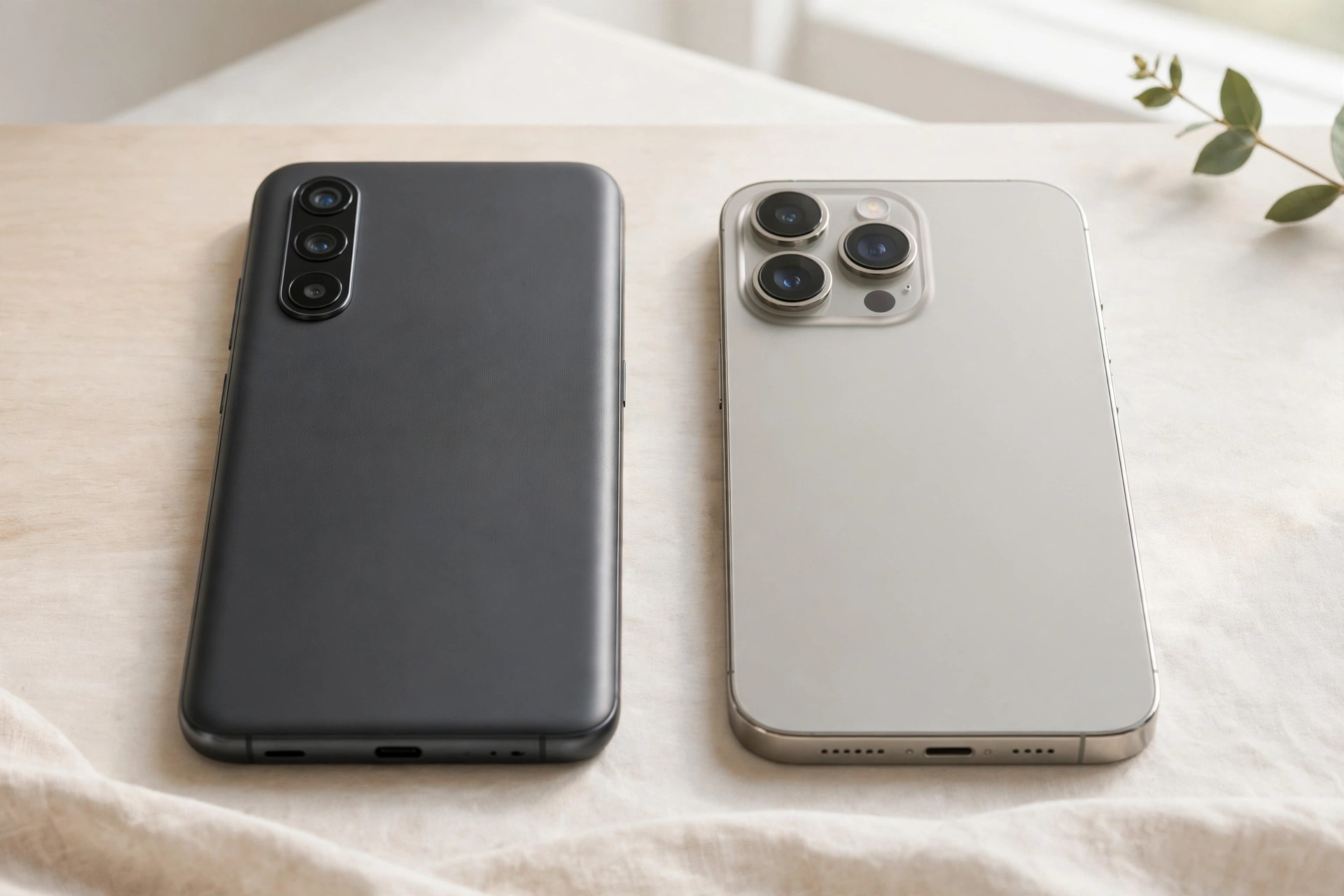
Android vs iPhone for Beginners: Which Should You Buy in 2026?
Android vs iPhone for Beginners: Which Should You Buy in 2026?
Quick answer: For most beginners on a tight budget, Android is the better first buy — good phones start much cheaper, and you get more choice of brands, sizes and battery sizes. For a beginner who wants the simplest possible phone, the longest software updates and the easiest help from family, iPhone is the better first buy — it costs more up front, but everything works the same way on every iPhone. If your budget is under $300, buy Android. If you can spend more and you want the least to learn, buy iPhone. The table below settles the rest in one look.
Table of Contents
- The Short Comparison Table
- Price: Where the Real Difference Is
- Ease of Use: Which Is Simpler on Day One?
- Apps: What You Can and Cannot Install
- Camera: Which Takes Better Photos Without Trying?
- Battery and Charging
- Customisation: Making the Phone Yours
- Updates and How Long Your Phone Lasts
- Privacy and Security
- Ecosystem: What Else Do You Own?
- Pick the Right One in 2 Minutes
- 5 Mistakes Beginners Make When Choosing
- FAQs
The Short Comparison Table
| Android | iPhone | |
|---|---|---|
| Price range | From under $150 to over $1,000 — every budget covered | Starts higher; cheapest new models cost several times a budget Android |
| Brands | Samsung, Google Pixel, Xiaomi, OnePlus, Motorola and more | Apple only |
| Ease of use | Very good, but menus differ by brand | The simplest and most consistent — same on every iPhone |
| Apps | Google Play Store, plus other stores on some phones | Apple App Store only |
| Customisation | Home screen, widgets, launchers, default apps — almost everything can change | Limited: widgets and lock screen, but the layout stays Apple-style |
| Software updates | 3–7 years depending on brand; Pixel and Samsung now longest | 5–6 years or more on every model |
| Resale value | Drops faster, except Pixel and Samsung flagships | Holds value best — old iPhones still sell well |
| Best for | Tight budgets, big batteries, choice | Simplicity, long life, family help |
Price: Where the Real Difference Is
Price is the biggest difference, and for most beginners it decides the question on its own. Android covers every price. A good budget Android costs under $300 and does everything a beginner needs — calls, WhatsApp, YouTube, maps, photos and banking apps. Our guide to the best Android phones under $300 in 2026 lists the ones worth buying at that price, and our budget laptop guide shows the same idea on a bigger screen: you do not need the most expensive device to get a good one.
iPhone starts much higher. Even the cheapest new iPhone costs several times what a budget Android costs, and the newest models cost more still. Older iPhones are cheaper, but a second-hand iPhone needs care — check the battery health in Settings, and buy only from a seller who lets you test it first. If your budget is fixed and under $300, the honest answer is Android. If you can stretch higher, keep reading — the rest of the comparison is where iPhone starts to earn its price.
Ease of Use: Which Is Simpler on Day One?
iPhone wins on simplicity, and it is not close. Every iPhone works the same way: the same home screen, the same settings menu, the same gestures. If your son, daughter or friend also has an iPhone, they can show you anything on your phone without even looking at it, because theirs looks identical. Face ID unlocks the phone just by looking at it, and there is almost nothing to set up wrong.
Android is also easy — a modern Samsung or Pixel is friendly on day one — but it is less consistent. Samsung’s menus look different from a Pixel’s, and a Xiaomi looks different again. That matters only a little if the phone is just for you, but it matters a lot if you often ask family for help and they use a different brand. If you are buying your first smartphone, or buying for a parent, iPhone’s sameness is a real advantage. If you already use Android, or everyone helping you uses Android, stay with Android — switching means relearning everything for no benefit.
Apps: What You Can and Cannot Install
Both phones run the apps most beginners need: WhatsApp, YouTube, Facebook, Instagram, Gmail, Google Maps, banking apps and games. If an app exists, it almost always exists on both. The difference is in the rules around them.
On iPhone, every app comes from the Apple App Store, and Apple checks each one before it is listed. That keeps the store cleaner and safer, but it also means Apple decides what is allowed — some apps, especially game emulators and certain tools, appear late or not at all. On Android, apps come mainly from the Google Play Store, which is also checked, but some phones allow other stores too. That gives you more choice, and also more chances to install something bad — so on Android, stick to the Play Store unless you know exactly what you are doing. Our beginner’s guide to AI tools explains how to judge a new app before trusting it with your data.
For a beginner, this difference rarely matters day to day. Both stores have what you need. It matters only if you want a specific app that Apple does not allow, or if you want the tightest safety net — then iPhone’s single locked-down store is the safer pick.
Camera: Which Takes Better Photos Without Trying?
Both take good photos in daylight, and both struggle a little in very dark rooms. The difference is in how much they help you. iPhone’s camera is the most point-and-shoot of the two: open it, tap once, and the photo is usually well exposed and sharp, with natural colours. It is the best choice if you want good photos without learning anything about photography.
Android cameras vary by brand and price. A Google Pixel takes photos as good as an iPhone, sometimes better at night, because Google’s software does the hard work for you. A Samsung flagship is just as strong, with a bigger zoom. But a cheap Android’s camera is noticeably weaker — grainy in low light, slow to focus, and dull colours. So the camera question is really a price question: at the same price, iPhone usually wins on consistency, while a Pixel at the same price matches it. On a budget under $300, expect decent daylight photos from Android and do not expect miracles at night.
Battery and Charging
Android wins on battery choice. Because there are hundreds of Android models, you can pick one with a huge battery that lasts two days, or one that charges from empty to half in about 30 minutes. Big batteries are common even on cheaper Android phones, and many still charge with the same USB-C cable as a laptop.
iPhone batteries are smaller, but iPhones use power efficiently, so a new iPhone still lasts a full day for most people. Charging is slower than the fastest Android phones, and you need to check the cable — newer iPhones use USB-C, older ones use Apple’s Lightning cable, which no other device uses. If you travel, work long days away from a charger, or just hate carrying a power bank, Android gives you more battery for your money. If you charge every night without fail, battery is not a reason to choose either way — and if your current phone feels slow or dies early, our 10-fix guide can help before you spend money on a new one.
Customisation: Making the Phone Yours
Android lets you change almost everything: the home screen layout, the widgets, the app icons, the default browser and messaging app, even the whole look of the system with a different launcher. If you like things your own way, Android is far more fun.
iPhone lets you change the wallpaper, add widgets and rearrange the lock screen, but the home screen stays in Apple’s grid and the default apps are harder to replace. Most beginners never notice this — they set a wallpaper and get on with life. So customisation is a real difference, but a small one for most people. It only decides the choice if you know you love tinkering. If you do not know what a launcher is, you will not miss it.
Updates and How Long Your Phone Lasts
Updates are the quiet reason a phone stays good or goes bad. Every update brings security fixes and new features, and a phone that stops getting them slowly becomes unsafe and incompatible with new apps.
iPhone is the clear winner here: Apple supports each iPhone with major updates for about five to six years, sometimes longer, and every supported iPhone gets the update on the same day. Android has caught up at the top — Google Pixel and Samsung’s newer phones now promise up to seven years of updates — but cheaper Android phones often get only two or three years, and updates arrive months late. Before buying any Android, check how many years of updates the maker promises for that exact model; it matters more than the camera. A phone that gets updates for seven years can be the cheapest phone you ever own, because you keep it twice as long.
Privacy and Security
Both are safe if you keep them updated and install apps only from the official store. iPhone has a slight edge: Apple asks apps to request permission before tracking you, and its locked-down store leaves less room for bad apps. Android has caught up with the same permission prompts and with Google Play Protect scanning apps, and Pixel phones get security updates fastest. The biggest security risk on either phone is not the brand — it is the user installing apps from random websites, clicking links in scam messages, or skipping updates. Whichever phone you choose, turn on automatic updates, use a screen lock, and never install an app a stranger sends you as a file.
Ecosystem: What Else Do You Own?
If you already own other devices, they may decide for you. An iPhone works best with a Mac, an iPad, an Apple Watch and AirPods — photos, messages and calls flow between them with almost no setup. An Android phone works best with a Windows laptop, a Chromebook, a Samsung tablet or a Google Nest speaker, and with any pair of Bluetooth earphones. If your family all uses iPhones, joining them makes sharing photos, locations and video calls easier. If your family all uses Android, the same is true in reverse. Switching sides means giving up those easy connections, so check what the people around you use before you switch.
Pick the Right One in 2 Minutes
Answer these three questions in order:
- What is your budget? Under $300 — buy Android, no debate. Over $600 — either works, so keep going.
- Who will help you when you get stuck? If they use iPhone, buy iPhone. If they use Android, buy Android. Matching your helper is worth more than any feature list.
- Do you want the phone to just work, or do you want to shape it? Just work, for years, with the best resale value — iPhone. Shape it, big battery, more choice for less money — Android.
If you are still torn after that, buy the one your family uses. The phone itself matters less than having someone nearby who can help you with it.
5 Mistakes Beginners Make When Choosing
1. Buying the most expensive phone to “be safe.” A flagship is not safer — a mid-range phone with long updates is safer and cheaper. Spend the difference on a case and a screen protector.
2. Buying a second-hand iPhone without checking battery health. Go to Settings, then Battery, then Battery Health. Below 80% means a new battery is needed soon, and that costs money.
3. Choosing Android for the camera, then buying the cheapest model. Cheap Android cameras are the weakest part of cheap Android phones. If photos matter, spend a little more or buy a Pixel.
4. Ignoring how many years of updates the phone gets. A phone with two years of updates is a two-year phone, however good it feels on day one.
5. Switching sides for one feature. One feature is never worth relearning everything and losing the easy sharing with your family. Switch only if several reasons point the same way.
FAQs
Which is better for a first smartphone, Android or iPhone?
iPhone is simpler to learn because every iPhone works the same way, so it is the best first smartphone if the budget allows. Android is the best first smartphone on a tight budget, because good Android phones cost far less and still do everything a beginner needs.
Is Android or iPhone better for older people?
iPhone, usually — the consistent menus, Face ID and the fact that family can guide you over the phone without seeing your screen make it easier. But if the whole family uses Android, Android is better, because the help matters more than the menus.
Do Android phones last as long as iPhones?
Top Android phones from Google and Samsung now get up to seven years of updates, so yes, they can last as long. Cheaper Android phones often get only two or three years, so check the update promise for the exact model before you buy.
Can I move my photos and WhatsApp chats from Android to iPhone, or the other way?
Yes, both directions are possible. Apple and Google both provide free transfer apps that move photos, contacts and messages when you set up the new phone. WhatsApp chats can be moved too, but only during the first setup of the new phone — so do the transfer before you start using it.
Which phone holds its value better?
iPhone, by a clear margin. A two-year-old iPhone still sells for a good price, while most Android phones lose value much faster. That is worth counting in the real cost: an expensive iPhone you sell later can cost less overall than a cheap Android you cannot resell.
Related posts on visit2me.com
- AI Tools for Beginners: What They Do, What They Cost, What to Avoid (Keyword 1 — pillar)
- Best Android Phones Under $300 in 2026 (Keyword 3)
- How to Speed Up a Slow Android Phone — 10 Easy Fixes That Work (Keyword 10)